Felix AnderssonSenior Fullstack Engineer, home

Montevideo

Résumé
All work

07 / 07

This portfolio

A portfolio that shows its products by running them: every preview is a recording of the real app, and under your pointer it becomes the app itself, in the same state.

Role
Solo: design, frontend and the recording pipeline
Year
2026
Interface
English, light and dark

The story

The story

I wanted the portfolio to be one of the projects, not only the frame around them. It behaves like a desktop app: one window, sections that move one at a time, and a soft light that takes the color of whatever you’re looking at.

The products are the point. A video can only show what an app looked like, so every preview here is a recording of the app itself, light enough to load in a moment and sharp at any size. Move your pointer onto one and the real app takes over where the recording was, ready to click. Its green light opens it in a window, still running, and the theme toggle switches the site and every app in it together.

Getting there meant teaching each product to be recorded and to start from a saved moment, including the three that need a server behind them. Every change stayed only if it measured better than what it replaced, on the same machine.
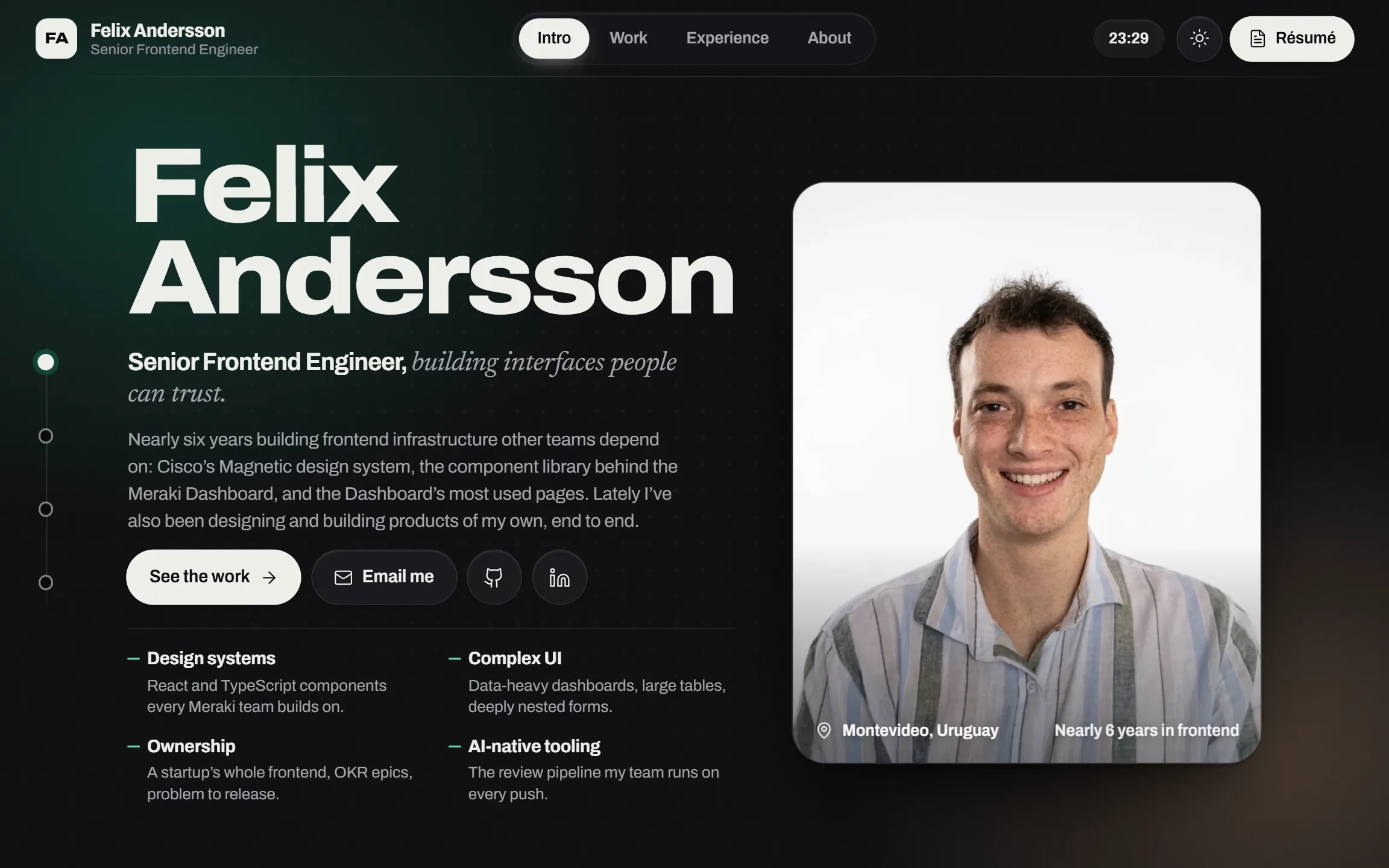
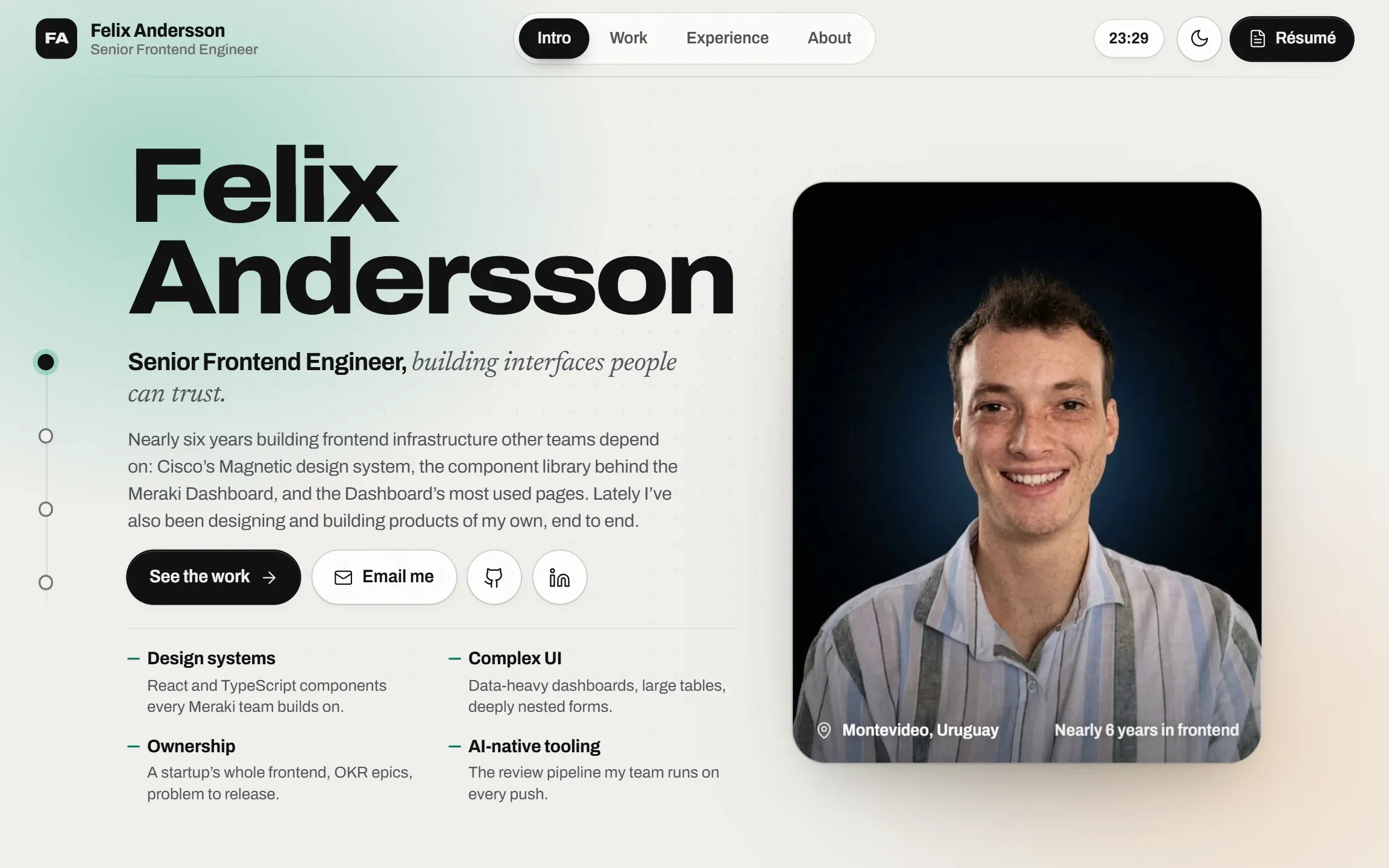
In the screenshot
This portfolio’s Intro: the name set in Archivo, the role and a short lede, four strengths, and the portrait on the right.This portfolio’s Intro: the name set in Archivo, the role and a short lede, four strengths, and the portrait on the right.
  1. The name is set one letter at a time, and widens toward the pointer along Archivo’s width axis.
  2. One gesture moves one section. These dots are the only navigation chrome.
  3. Two portraits, one per edition; the other one loads only after your first move on the page, ready for a theme switch.

Engineering

Three things worth a closer look

  1. 01

    One window, one gesture

    The page never scrolls as a whole: each turn of the wheel moves one full section. Anything inside a section that can still scroll goes first, and the page waits for the wheel to rest before it moves again.

  2. 02

    A theme switch that spreads

    The new theme spreads in a circle from the toggle, over the page and the running apps alike, without restarting anything that was playing.

  3. 03

    Measured, not assumed

    Effects stayed only after a Chrome trace said they could. Moving the cursor light off a full-window canvas took the page from 82 to 235 fps, and the résumé PDF went from 27 soft-masked images to one.

  • Astro
  • TypeScript
  • Hand-written CSS
  • Custom elements
  • Web Animations API
  • View Transitions
  • Puppeteer and the Chrome DevTools Protocol
  • Vercel

How it works

From a video of the app to the app

Every product preview here used to be a pair of videos. The question was whether it could be the product itself, without making the page heavier or slower.

  1. Record

    A script uses each app the way a person would, and a recorder writes down what the screen shows at every moment.

  2. Replay

    The preview plays that recording back with the app’s own styles, so it looks exactly like the app, in either theme, at a fraction of a video’s size.

  3. Go live

    Once you start using the page, the real app loads quietly behind its preview and follows along. When your pointer arrives, the app takes over on the same frame, in the same state.

  4. Bring the backend

    Three products need more than a browser: a game stats API, a study history and a shared watch room. What they need from a server is recorded too, so they work here without one.

  5. Open in a window

    The green light grows the preview into a window over the page, with the app still running and nothing reloaded. Closing it puts the app back in its preview.

  6. Measure

    Each step had to win a side-by-side measurement on the same machine before it stayed, and the apps load only after your first move on the page, so the first visit stays light.

216 KB
the five products’ recordings, gzipped, in place of 17.7 MB of video
100
Lighthouse accessibility, best practices and SEO, in every run with live apps in place
235 fps
with the cursor light on, after moving it off a full-window canvas (82 before)

More screens from This portfolio

Select a screen to enlarge it

A tape in the showcase
Opening an app in place
A case study
On a phone

Build sheet

Stack
Astro, TypeScript, Hand-written CSS, Custom elements, Web Animations API, View Transitions, Puppeteer and the Chrome DevTools Protocol, Vercel
Scale
  • ~7,900 lines of TypeScript, Astro, CSS and scripts
  • 9 components
  • 6 tapes, 216 KB gzipped for the five products
  • Light and dark
Typefaces
  • Archivo
  • Newsreader
Palette
#F2F1ED#0A0A0C#111114#0D7A5F#5FD6B0